
Most companies searching Zoho CRM vs Salesforce already know what the feature comparison looks like. What they don't know is whether Salesforce is actually worth the cost and the headache, or whether Zoho CRM will fall apart when the business gets bigger. We've seen both go wrong. Here's what that actually looks like.
- Best for growing SMBs: Zoho CRM gets teams live in days, covers lead management and pipeline tracking well, and costs a fraction of Salesforce.
- Best for complex organizations: Salesforce handles regulated industries, multi-entity orgs, and enterprise workflows that Zoho CRM cannot match.
- Implementation quality matters most: A well-configured Zoho instance beats a neglected Salesforce org. The platform is secondary to the setup.
Not sure which CRM is right for your business?
Our team has guided companies across private equity, medical devices, and professional services through this exact decision. We can help you cut through the noise.
- Zoho CRM wins on cost and speed: Most teams self-onboard in under two weeks. The Enterprise tier at $40 per user per month covers pipeline management, lead conversion, and automation. No dedicated admin required.
- Salesforce wins on depth: Multi-stage approval workflows, enterprise analytics via Tableau, and regulated-industry compliance requirements push most complex organizations toward Salesforce.
- Total cost of ownership diverges sharply: Salesforce Enterprise starts at $165 per user per month before implementation and admin costs. Factor those in and the three-year gap often reaches three to five times Zoho's cost.
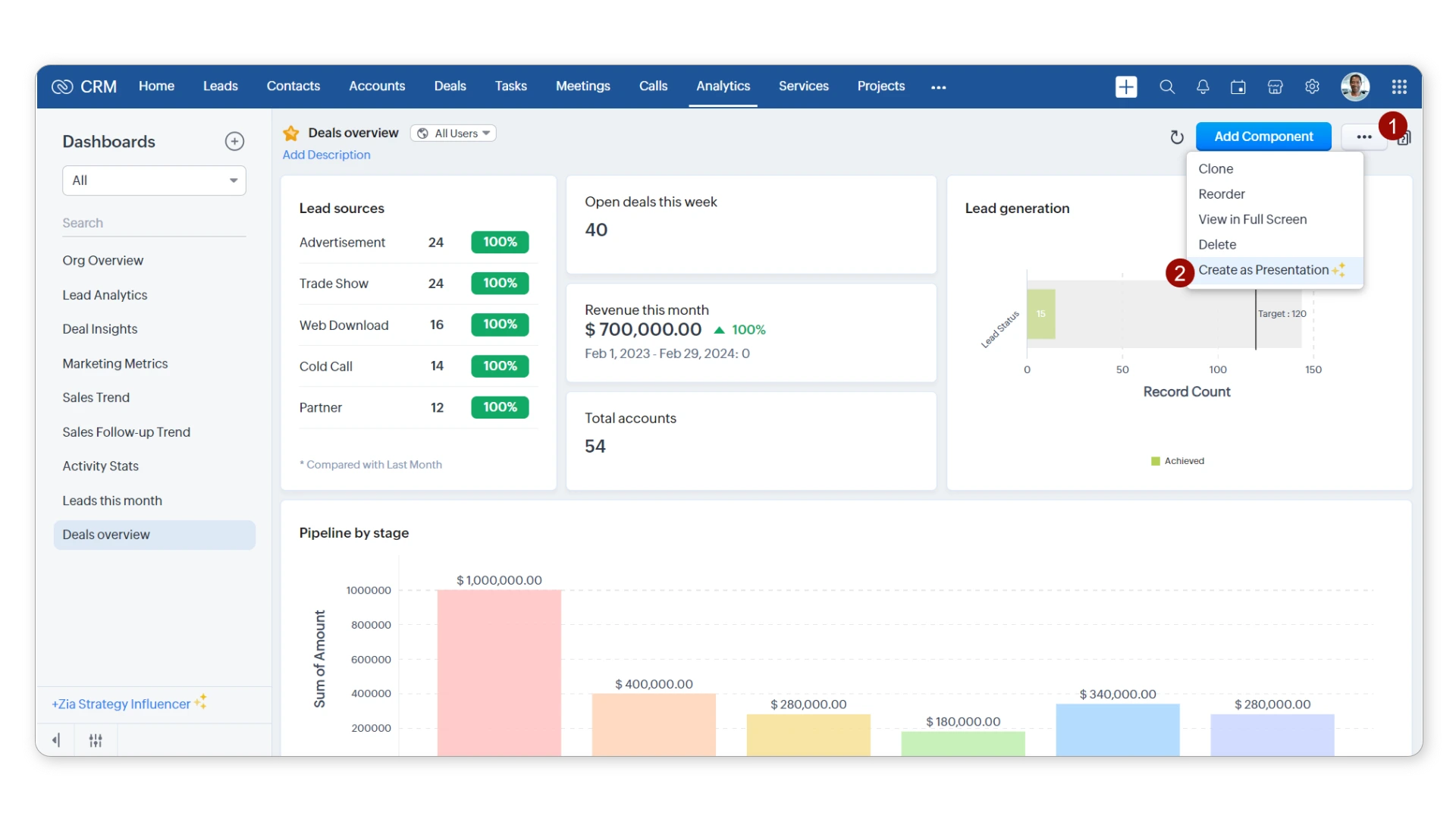
Zoho CRM is the CRM inside a bigger family of tools: Zoho Desk, Campaigns, Zoho Marketing Automation, and a dozen others. If your company already runs on Zoho products, adding Zoho CRM is closer to an activation than an implementation. You're not signing a new contract or wiring up integrations from scratch. You're turning on the part that tracks deals.
Key Features
- Pipeline management: Kanban-style deal tracking across multiple pipelines, with customizable stages and weighted forecasting.
- Automation: Workflow rules, blueprints for process automation, and Zia AI for lead scoring and sales predictions.
- App integrations: Native connections to Google Workspace, Microsoft 365, Mailchimp, and Zapier. Full API access on Professional tier and above.
- Reporting: Built-in dashboards and a custom report builder. Sufficient for most SMBs; not a replacement for Salesforce's analytics depth.
Pricing Structure

- Free: Up to 3 users, core CRM functions only
- Standard: $14/user/month (billed annually)
- Professional: $23/user/month
- Enterprise: $40/user/month
- Ultimate: $52/user/month (advanced analytics and full Zia AI included)
- Pricing as of June 2026. Verify current rates at zoho.com before purchasing.
Our Take
We usually recommend Zoho CRM for teams under 100 users who don't have a dedicated CRM admin and aren't running a complex multi-system stack. Setup takes days, not months. The ceiling is real though: if you need multi-layer approval workflows, custom compliance reporting, or tight ERP integration, you will hit it. That's when the salesforce vs zoho crm calculus changes.

Salesforce isn't one product. It's Sales Cloud, Service Cloud, Marketing Cloud, Commerce Cloud, and Agentforce, all on the same platform. Companies that need a CRM to talk to their support system, their marketing stack, and their compliance reporting buy Salesforce because nothing else handles that combination without significant custom work.
Key Features
- Sales Cloud: Enterprise pipeline management with custom objects, Apex code, Validation Rules, and territory management built in.
- AppExchange: 7,000+ third-party integrations covering CPQ, document management, ERP connectors, and more.
- Einstein AI and Agentforce: Lead scoring, conversation intelligence, predictive sales forecasting, and autonomous AI agents that act without human triggers.
- Tableau analytics: Advanced reporting and data visualization beyond what native Salesforce dashboards provide.
Pricing Structure

- Starter Suite: $25/user/month (basic CRM only)
- Pro Suite: $100/user/month
- Enterprise: $165/user/month (most common for mid-market companies)
- Unlimited: $330/user/month
- Einstein 1 Sales: $500/user/month (full AI suite)
- Pricing as of June 2026. Implementation costs are not included. Verify rates at salesforce.com.
Our Take
Salesforce is right for specific situations: private equity firms tracking portfolio companies, medical device teams managing FDA audit trails, enterprise sales orgs spread across multiple regions. If that describes you, Salesforce is probably the answer. But we've watched it fail badly at companies that didn't fit that profile and bought it anyway. Out of the box, Salesforce is not a CRM. It's a blank canvas, and a poor one without experienced Salesforce implementation behind it.
The salesforce vs zoho crm gap is significant in some areas and overstated in others. Here's where it actually matters.
Pipeline Management
Zoho CRM's pipeline management is genuinely capable. Multiple pipelines, kanban views, and stage automation cover most sales teams from the Professional tier. Salesforce adds territory management, custom objects, and Validation Rules, but those require an admin to configure correctly. We've seen companies run Salesforce for years on a default pipeline setup. That's an expensive way to get what Zoho handles out of the box.
Winner: Salesforce for complex, multi-territory sales cycles. Zoho CRM wins for teams that want pipeline tracking live in a day or two.
Customization and Integration
Customization is where the gap becomes a canyon. On Salesforce, a developer can build almost anything: Apex code, custom objects, AppExchange integrations, automated flows triggered by any event. Zoho CRM covers standard customization through modules, layouts, and webhooks. That's enough for most teams.
If your roadmap involves connecting a CRM to a legacy billing system and a data warehouse simultaneously, Zoho's ceiling shows up fast. For simpler comparisons, see our Zoho CRM vs Pipedrive breakdown.
Winner: Salesforce for enterprise integration requirements. Zoho CRM is sufficient for standard toolsets.
User Interface and Learning Curve
Zoho CRM is genuinely easy to start using. Most reps can log calls and update stages without a training session. Salesforce looks polished, but the underlying data model is complex. Admins without Trailhead training often configure it wrong, and those mistakes compound. In our experience, user adoption is why most Salesforce projects underperform, not the technology.
Winner: Zoho CRM for time to productivity and user adoption. Salesforce requires significantly more onboarding investment.
Most CRM projects fail not because of the platform. Because of the plan.
Poor scoping, skipped user training, and rushed data migration are behind most CRM failures, not the software itself. Capital S helps you avoid those mistakes before they happen.
Pricing and Total Cost of Ownership
License costs tell you almost nothing on their own. Zoho CRM Enterprise is $40 per user per month. Salesforce Enterprise is $165, and that's before you hire a Salesforce implementation partner or a dedicated admin.
Add Salesforce managed services and the three-year total often runs three to five times higher than Zoho CRM. That math works when you're getting full value out of Salesforce. Most companies aren't.
Winner: Zoho CRM on total cost of ownership across most SMB scenarios.
AI and Automation Features
Salesforce has pulled ahead on AI, and the gap is wider than most buyers realize. Einstein AI handles opportunity scoring, forecasting, and conversation intelligence. Agentforce goes further: autonomous agents that execute workflows and update records without a human trigger.
Zoho's Zia AI covers lead scoring and anomaly alerts. Useful for an SMB. Not the same category. If AI-driven automation matters to your strategy, also review our HubSpot vs Salesforce breakdown.
Winner: Salesforce on AI capability. The gap between Einstein AI and Zia is significant and growing.

- G2: 4.1 out of 5 stars (2,800+ reviews)
- Capterra: 4.3 out of 5 stars (6,800+ reviews)
- What users praise: Affordable pricing, fast setup, feature depth relative to cost, and strong integration with the wider Zoho ecosystem
- Common criticism: Support quality varies at lower tiers; advanced features like custom functions and Zia require a learning curve; reporting is less flexible than Salesforce
- Bottom line: Zoho CRM earns strong marks from SMB users who want capable CRM without enterprise-level complexity or cost
- G2: 4.4 out of 5 stars (23,000+ reviews)
- Capterra: 4.4 out of 5 stars (18,500+ reviews)
- What users praise: Platform depth, AppExchange ecosystem, Tableau analytics, and flexibility for enterprise-grade workflows
- Common criticism: High cost at every tier, complex administration, steep learning curve, and slower support response on standard plans
- Bottom line: Salesforce earns top ratings from enterprise users who invested in implementation correctly; ratings drop sharply among companies that underfunded the setup
These tables reflect what we actually see in practice. For teams still weighing lower-cost options, our Zoho CRM alternatives guide covers what else is available at this price point.
Zoho CRM Pros and Cons
Salesforce Pros and Cons
Budget Beyond the License
The license fee is the most visible part of any zoho crm vs salesforce cost comparison. It's rarely the biggest one. Salesforce implementations run $15,000 to $150,000 depending on scope. A qualified admin adds $80,000 to $150,000 a year on top of that. Zoho CRM is lighter: most SMBs land between $5,000 and $20,000 for initial setup. Run that math before you sign. Our Salesforce alternatives guide breaks down where the money actually goes.
User Adoption Is the Real Risk
We have yet to see a CRM project fail because of a technical limitation. We've seen plenty fail because nobody used the system. Salesforce especially demands structured change management: role-based training, clear data entry standards, managers who hold the team accountable. Budget for a 60 to 90 day ramp period on either platform. Training is a project deliverable, not an afterthought. Our Salesforce customization engagements almost always include a user adoption workstream because of this.
Capital S has implemented Salesforce for private equity firms, medical device companies, and pharmaceutical teams since 2018. We also work with growing companies that are still deciding between platforms. That evaluation conversation is often where we add the most value, before anyone has signed anything.
The honest answer on salesforce vs zoho crm: the wrong platform configured well beats the right platform configured badly. We've seen Salesforce implementations collapse at companies that bought it without scoping the project. We've watched Zoho CRM perform well past expectations at companies that took the setup seriously. The platform choice matters less than most buyers think. If you want a straight read on which fits your situation, talk to a Capital S consultant. We'll tell you if Salesforce isn't the right call.
For companies that do go with Salesforce, our Salesforce managed services team handles ongoing administration and optimization. Our sales analytics practice helps teams unlock the reporting that most Salesforce orgs leave sitting unused.
Ready to find the right CRM for your team?
Whether you've already decided on Salesforce or are still weighing options, our team can help you scope the right implementation, or just answer your questions.
